Type Annotations 는 LangGraph 를 개발할 때 계속 등장하는 개념이라서 먼저 학습하고 들어갑니다.
1. Dictionary Dictionary 는 위와 같이 생겼는데요. 이러한 Dictionary 는 큰 프로젝트를 수행할 때 문제를 야기하기도 합니다. 왜냐하면, Data 가 의도한 형태대로 들어왔는지 확인을 자동으로 해주지 않기 때문입니다.
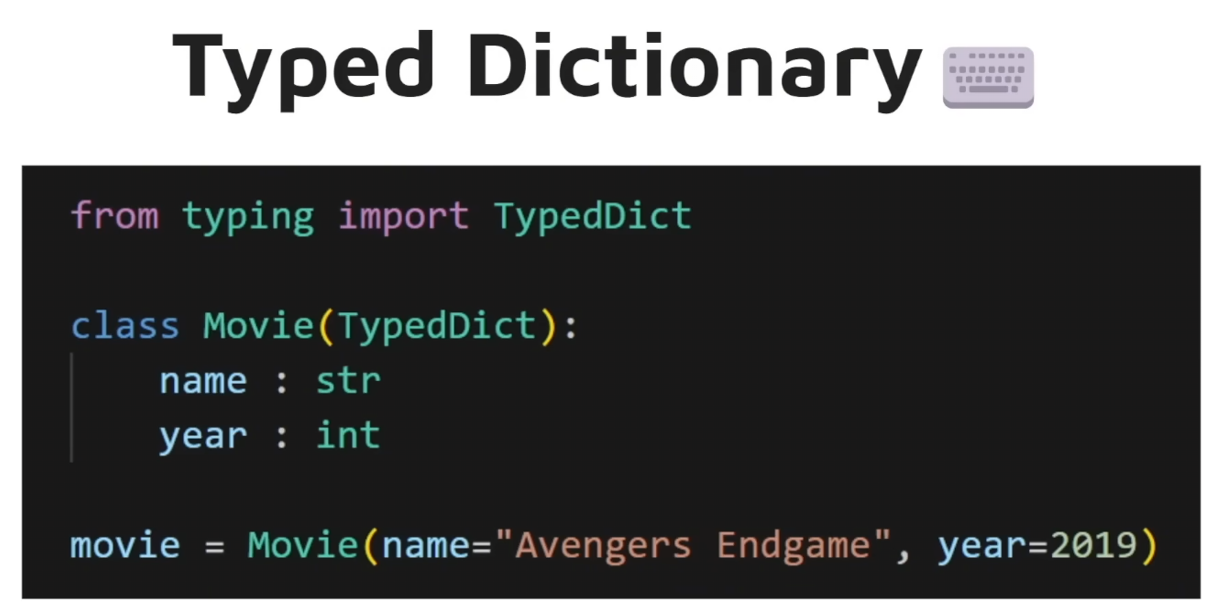
2. Type Dictionary Normal Dictionary 의 문제를 통과하기 위해 TypedDict 를 이용하게 됩니다.
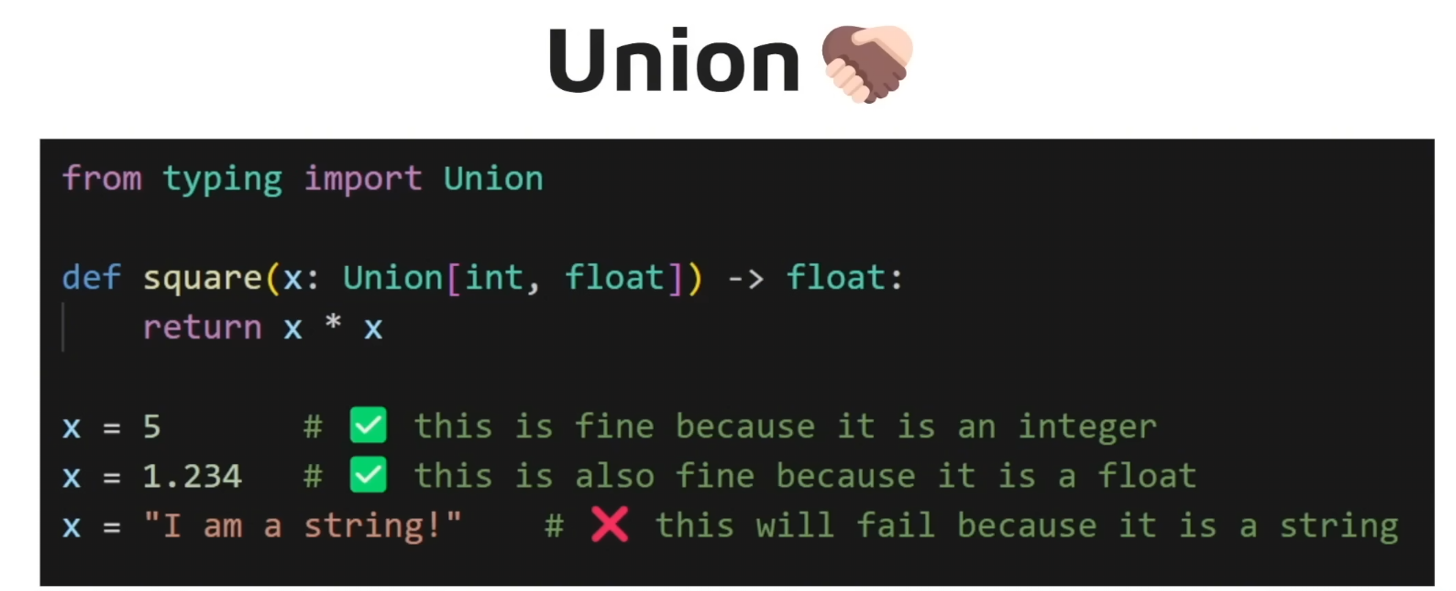
3. Union 유니온은 여러 타입을 가질 수 있게 해줍니다. LangGraph 에서는 Union 을 특히 많이 사용하게 되곤 하는데요. 코드에 유연성을 크게 부여해주곤 하기 때문입니다.
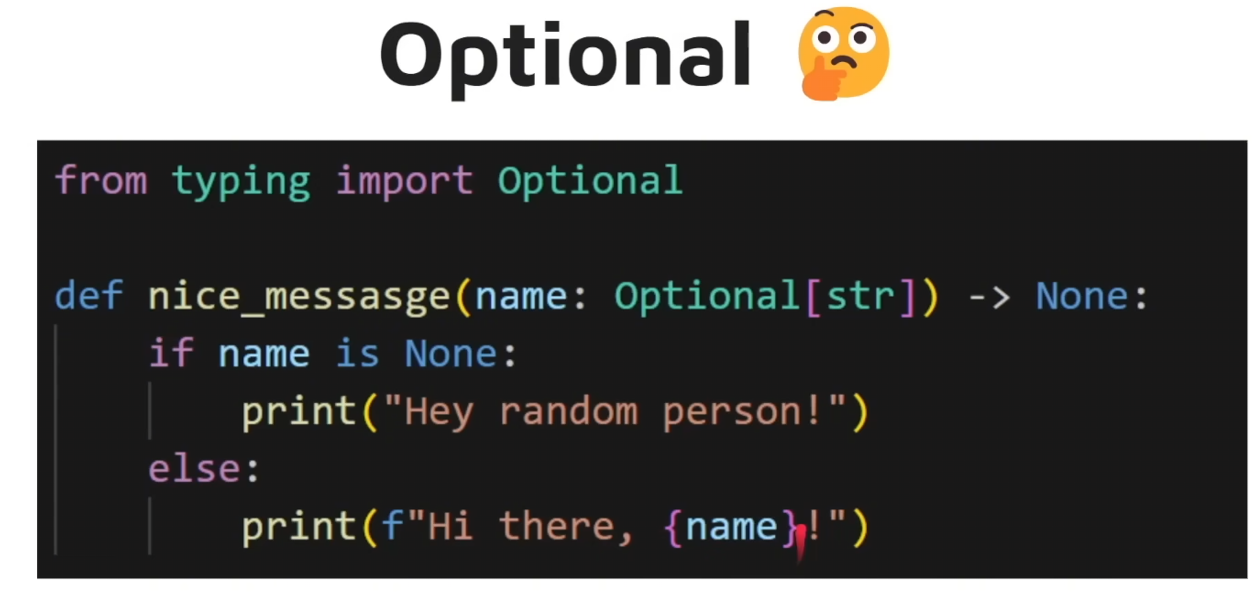
4. Optional Optional 타입은 None 이 들어오는 것도 허용하는 타입입니다.
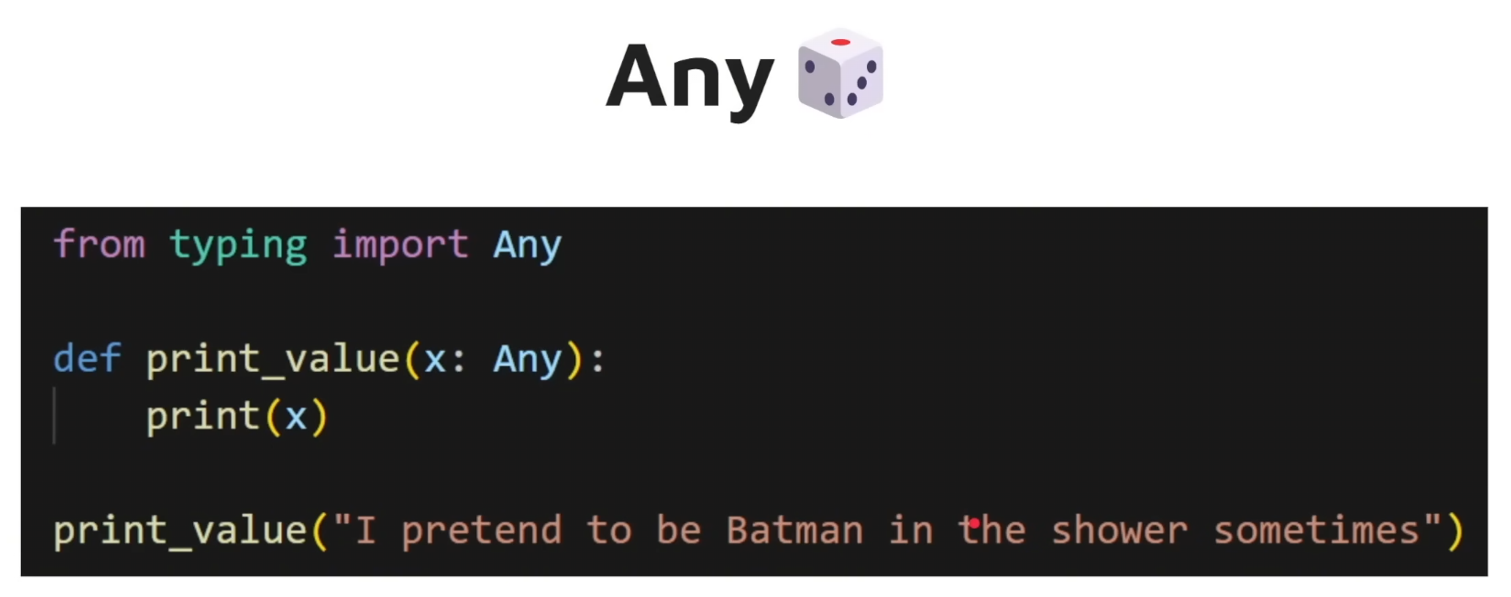
5. Any Any 는 말 그대로 어느 타입의 데이터도 괜찮다는 것을 의미합니다.
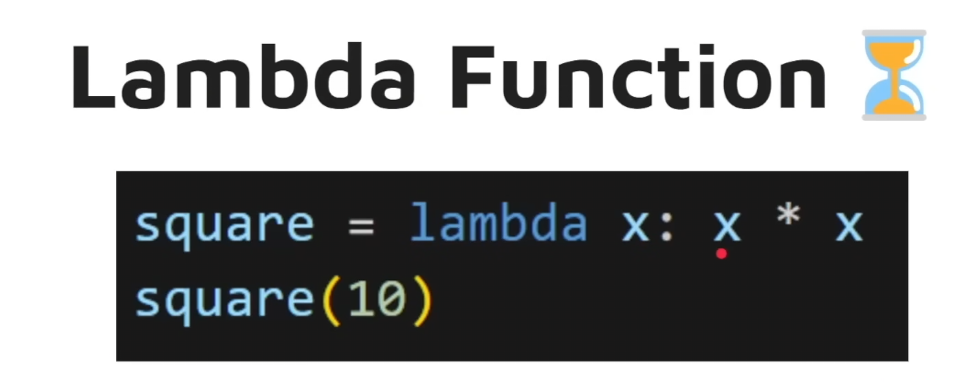
6. Lambda Function
Elements
LangGraph 의 Elements 에 대해서 알아봅시다.
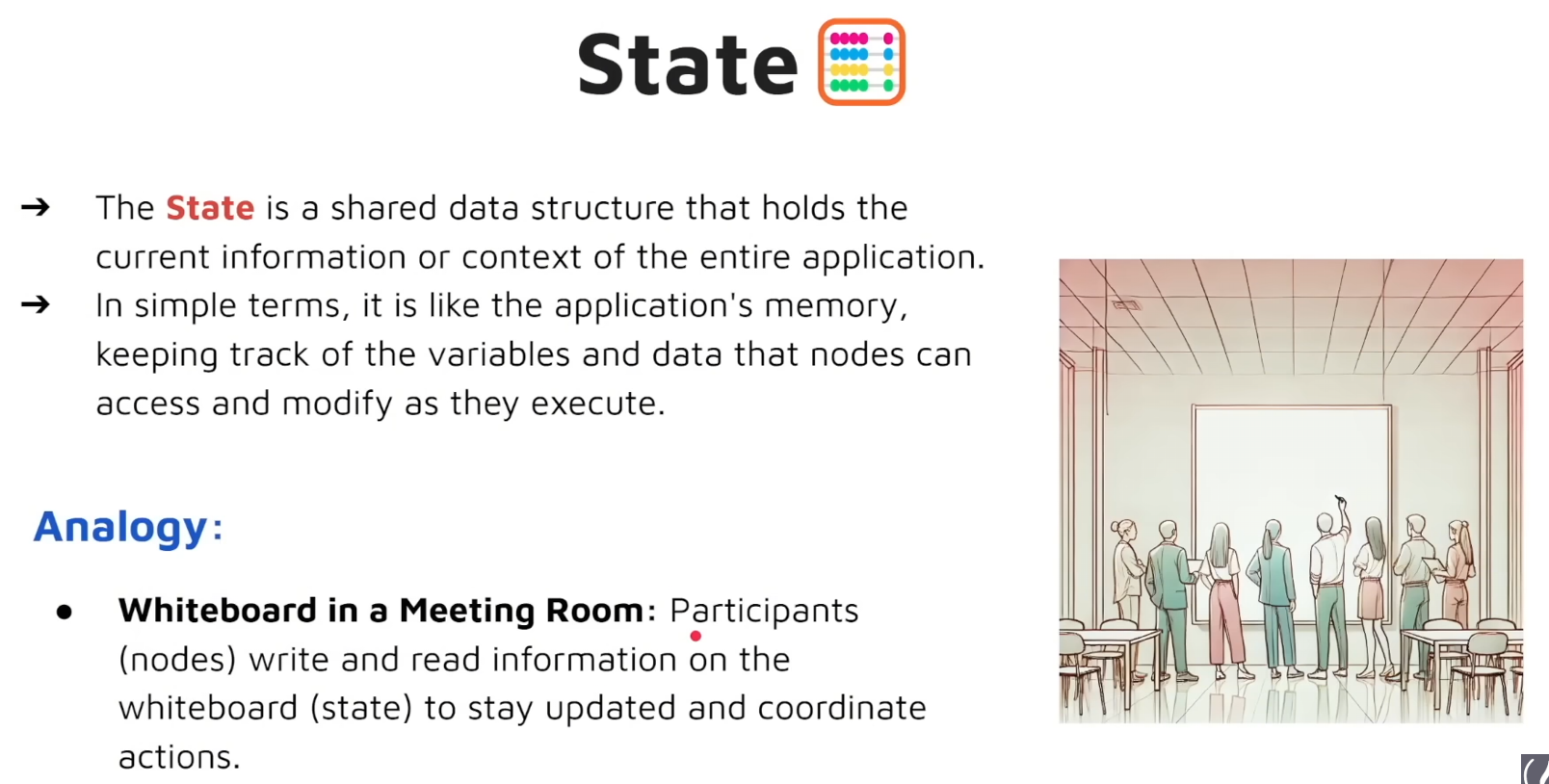
1. State State 는 Shared Data Structure 입니다. 전체 Application 에 걸쳐서 공유되는 정보나 맥락을 의미합니다. 쉽게 말하면 Application's memory 입니다.
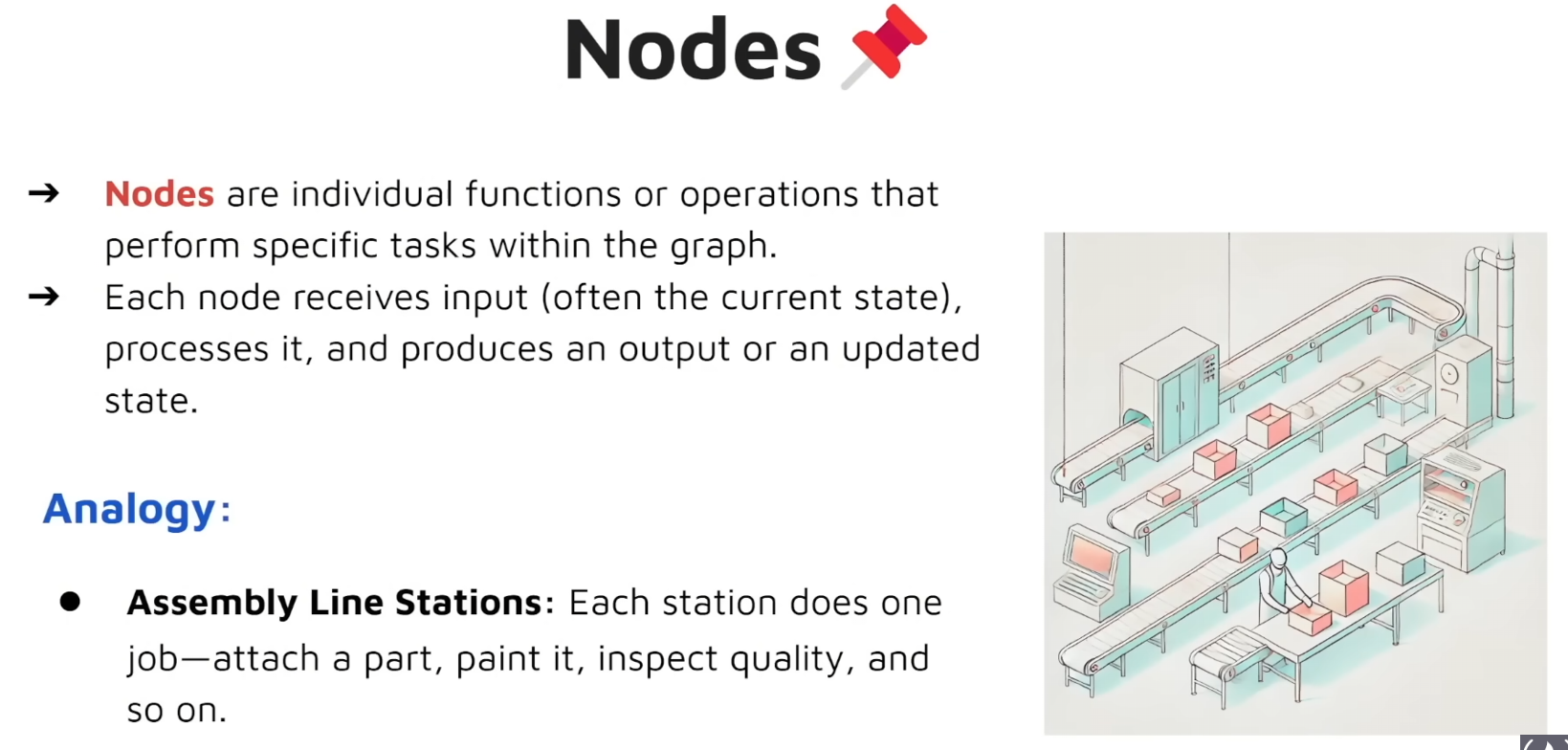
2. Nodes Node 는 graph 안에서 특정 task 를 수행하는 개별 function 혹은 operation 을 의미합니다.
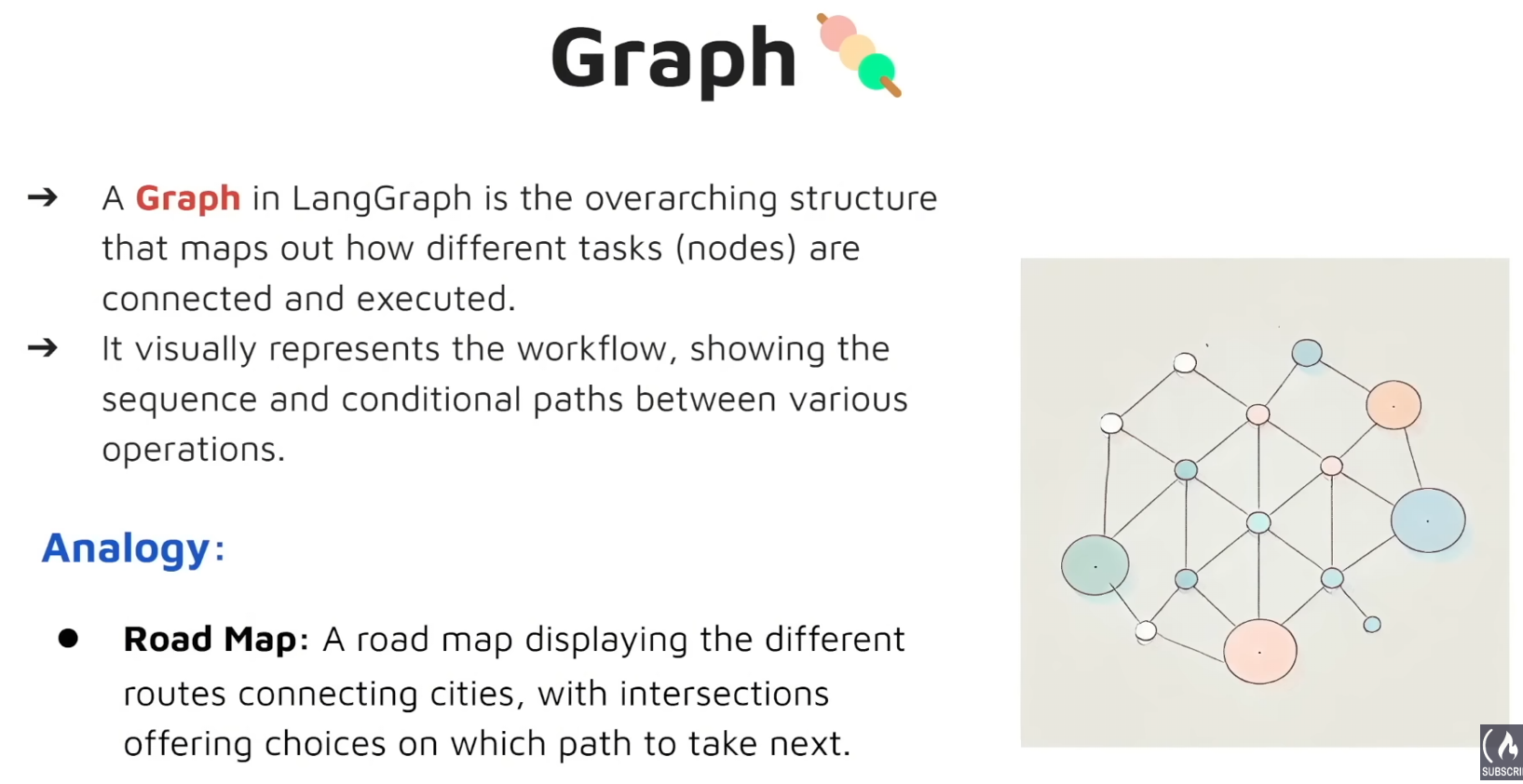
3. Graph Graph(그래프)는 LangGraph 내에서 서로 다른 작업(노드)들이 어떻게 연결되고 실행되는지를 그려내는 최상위(전체적인) 구조입니다. Graph 는 시각적으로 Workflow 를 나타내기도 하며, 작업의 순서와 조건에 따라 분기되는 options 들도 보여주기도 합니다.
4. Edges Edges 는 Nodes 사이의 Connection으로 실행의 흐름 방식을 결정합니다. 이게 실행되면 어느 노드로 흘러갈지, 혹은 최초 노드로 돌아갈지 등을 의미합니다.
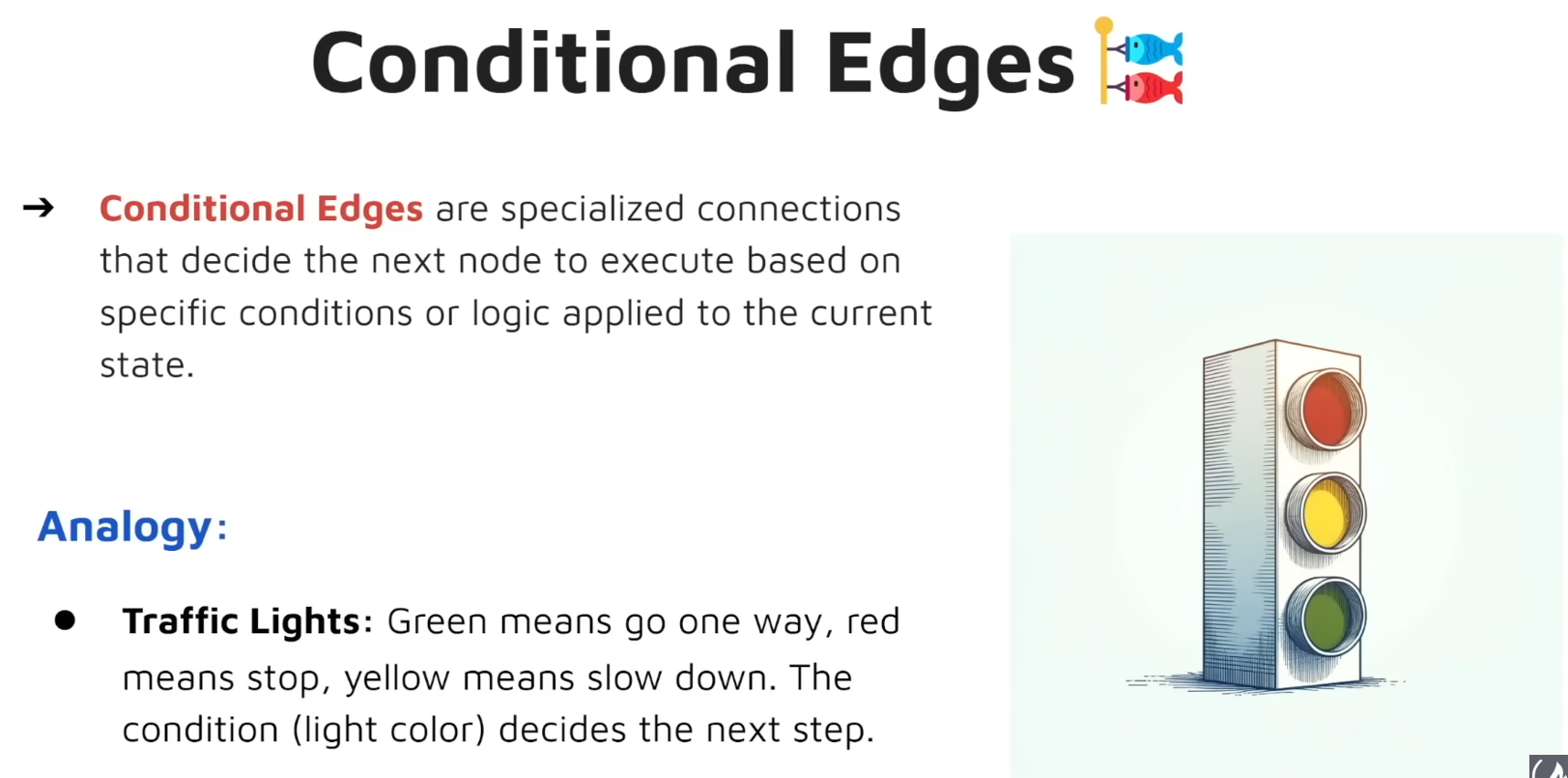
5. Conditional Edges Conditional Edge 는 특정 로직 혹은 조건에 따라서 다음 노드를 결정하는데 특성화된 Edge 를 의미합니다.
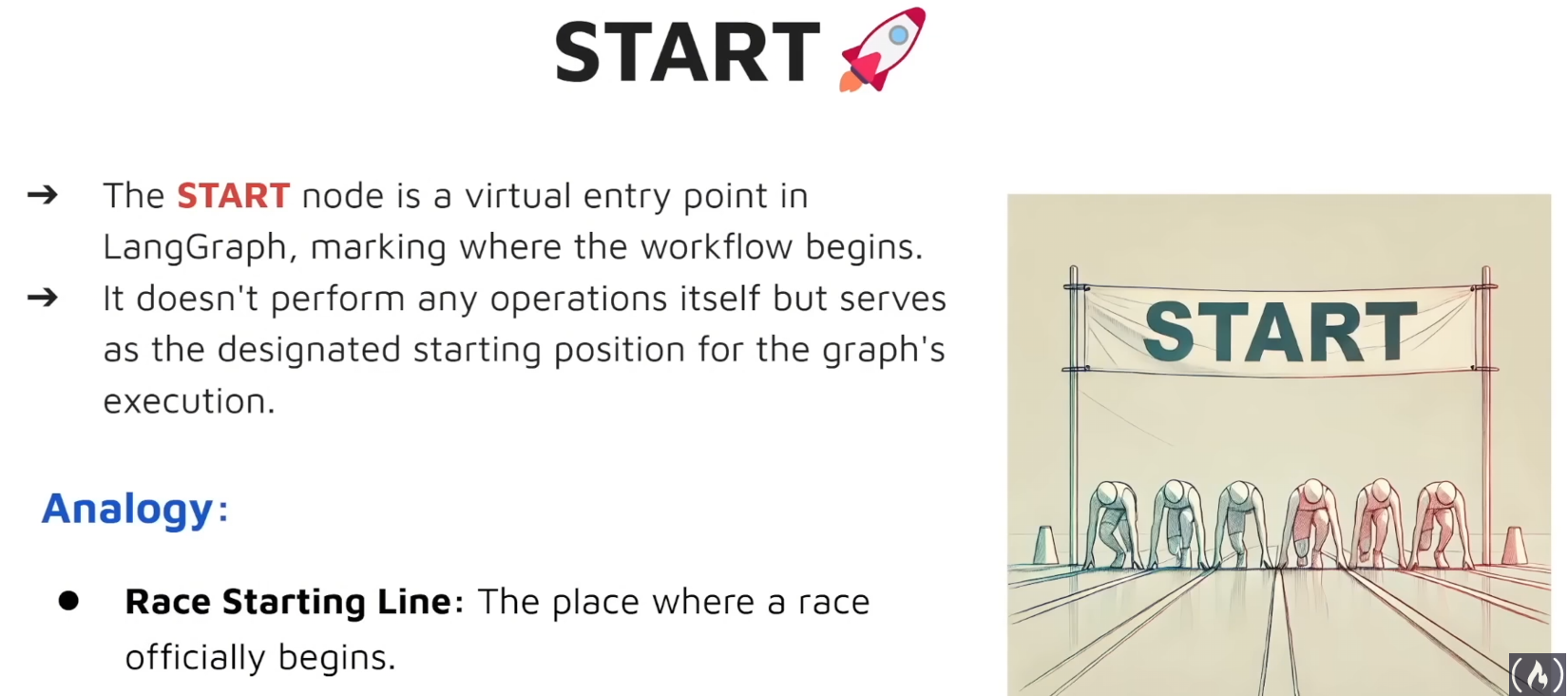
6. Start Node Start Node 는 말 그대로 Start 지점을 의미하는데요. 어떠한 역할도 수행하지 않지만 Graph 의 실행의 첫 단계를 의미합니다.
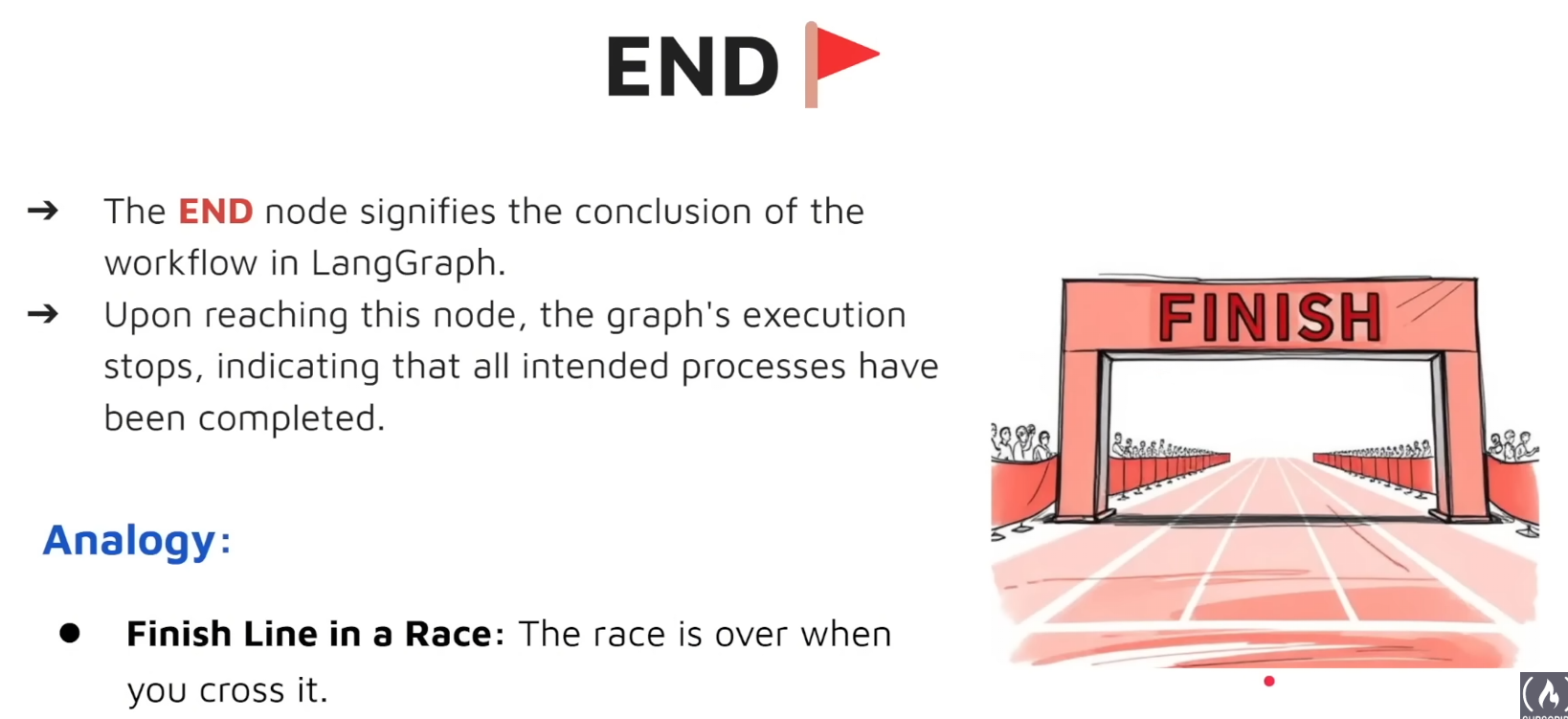
7. End Node End Node 는 Graph 의 종료를 의미하는 Node 입니다. 이 Node 에 진입하지 않는다면 Graph 의 실행이 멈추지 않는다는 것을 의미합니다. 반대로 이 Node 에 진입한다면 Graph 가 최종 목적을 달성한 것이라고 볼 수 있습니다.
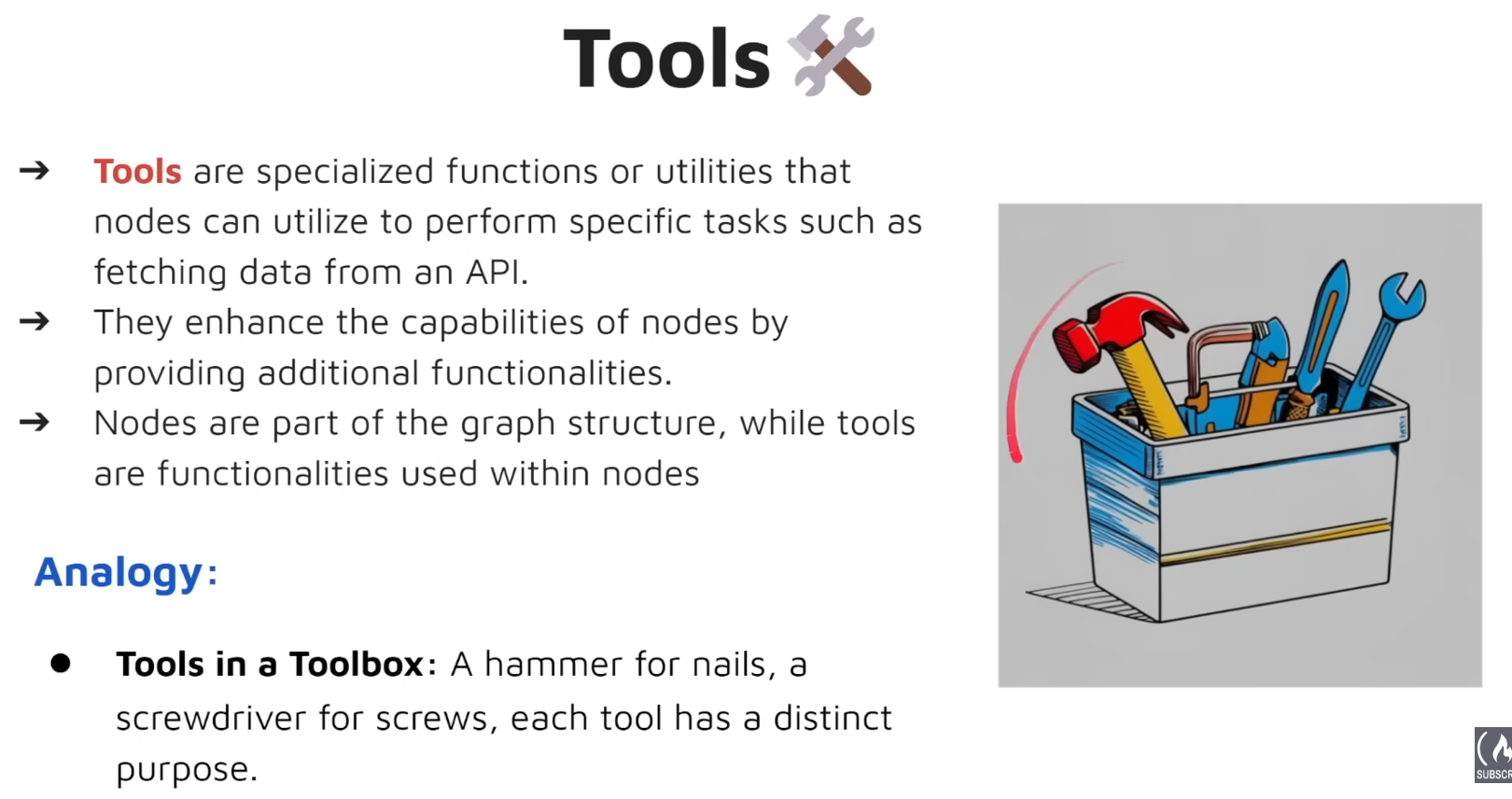
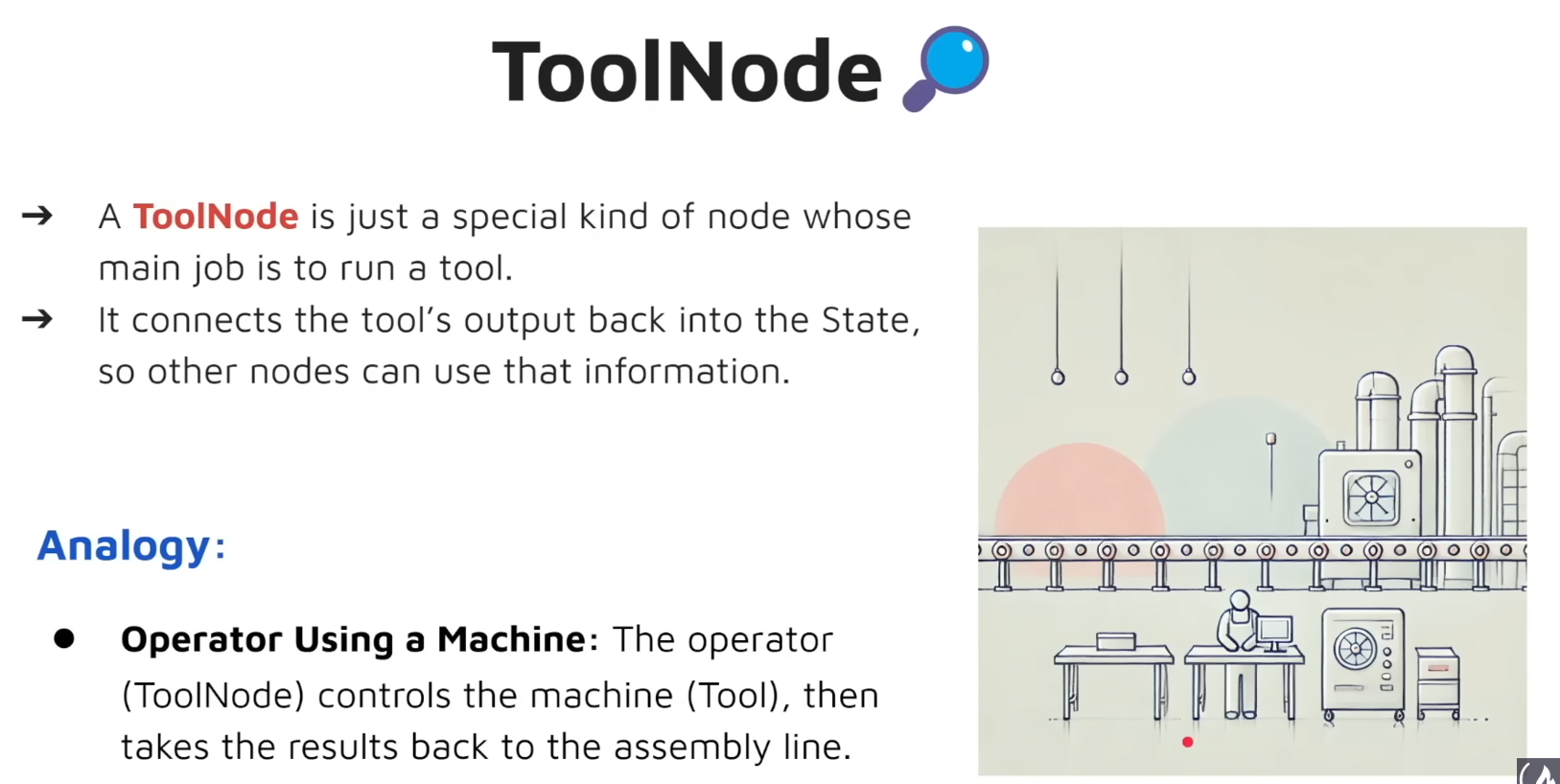
8. Tools Tool 은 특정 task 를 수행하거나 API 로 부터 데이터를 가져오는 등 특수 목적을 가진 function 혹은 utility 를 의미합니다. Tool 은 Node 들에게 추가 기능성을 제공하면서 능령을 향상 시킨다는 특징이 있습니다. 그럼 Node 와 Tool 의 차이는 뭘까요? Node 는 Graph Structure 개념의 일원이고, Tool 은 노드 안에서 사용되는 추가 기능들이라고 볼 수 있겠습니다.
9. ToolNode ToolNode 는 Node 중 Tool 을 실행하는 것을 목적으로 둔 Node 를 의미합니다. ToolNode 는 Tool 의 실행 결과를 State 에 반영하여 다른 Node 들이 해당 결과를 반영할 수 있도록 도와준다는 특징이 있습니다.
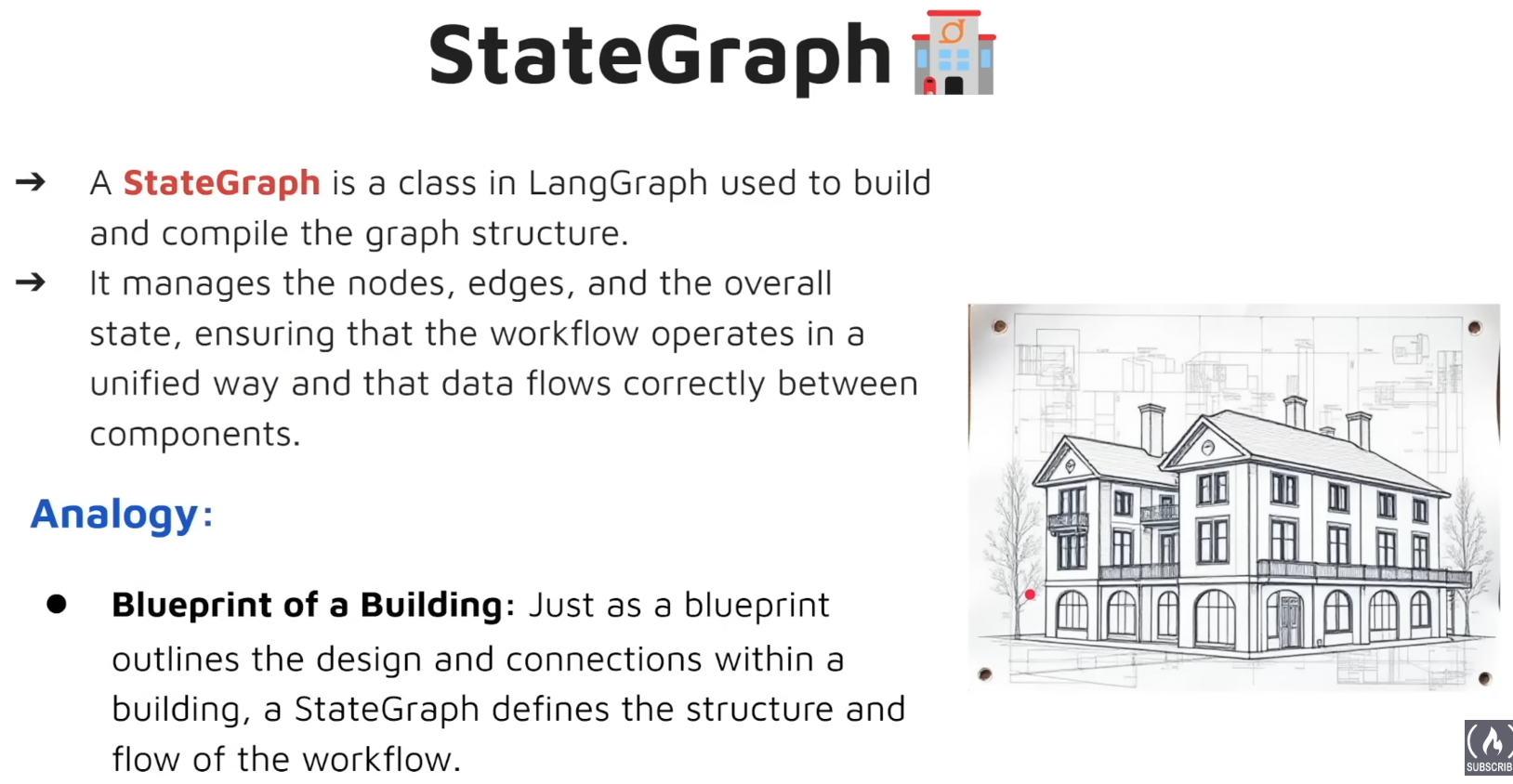
10. StateGraph StateGraph 는 LangGraph 에서 Graph 를 Build 하고 Compile 할 때 사용되는 Class 입니다. StateGraph 는 Node, Edge, State 들을 관리하고 Workflow 가 통일된 방향으로 동작하도록 관리하는 역할도 수행합니다. 설명이 어려운데, 쉽게 설명하면 건물의 설계도라고 볼 수 있겠습니다.
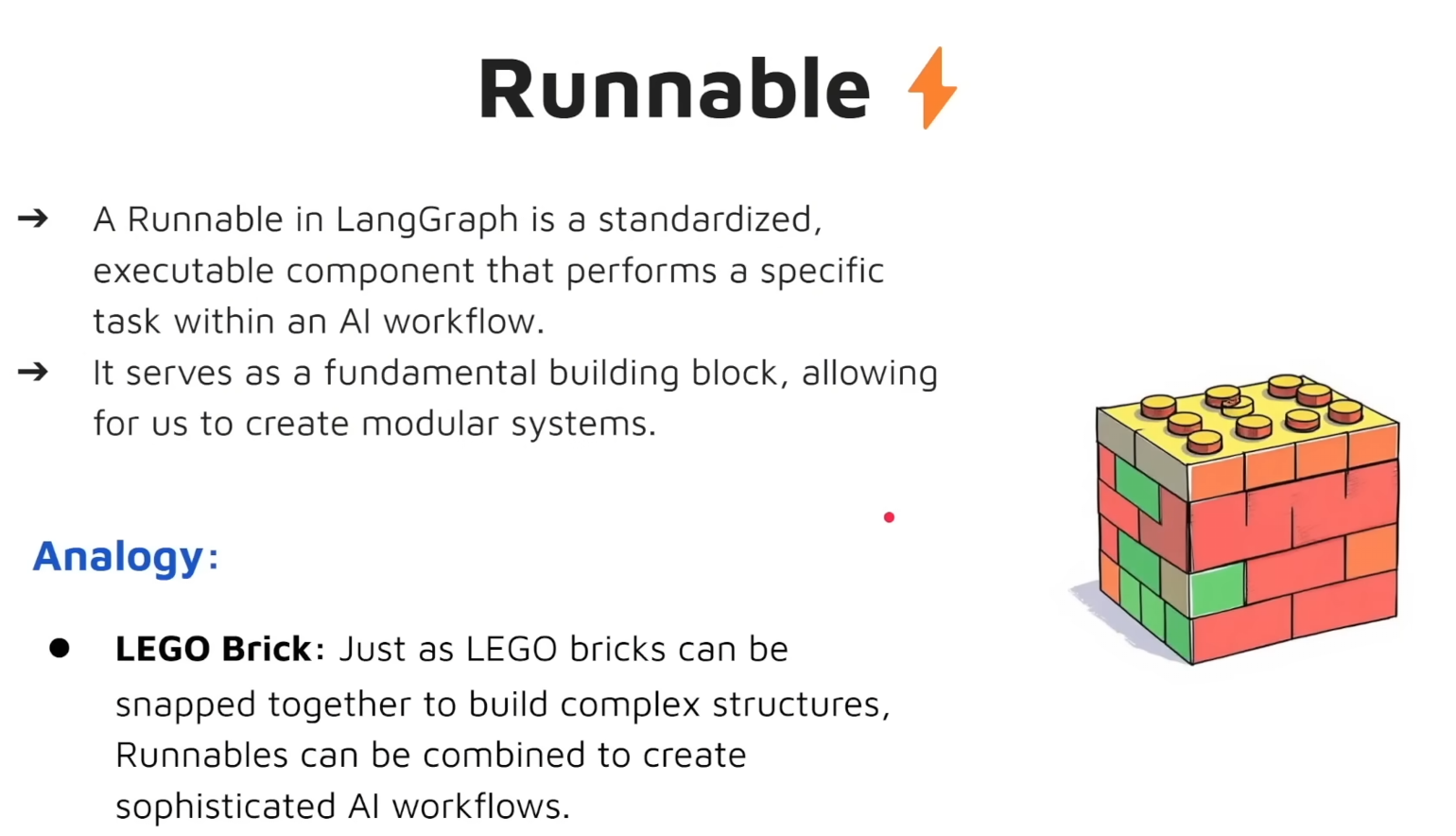
11. Runnable Runnable 은 표준화된 실행 가능한 componenet 로 AI workflw 내에서 특정 task 를 수행합니다. Runnable 은 우리가 건물을 짓기 위한 기본 블럭을 제공해준다고 볼 수 있습니다. Modular System 이라고 볼 수도 있겠습니다.
12. Messages Message 는 누구의 Message 냐에 따라서 뜻이 다르게 해석됩니다.
Graph 기본 예제
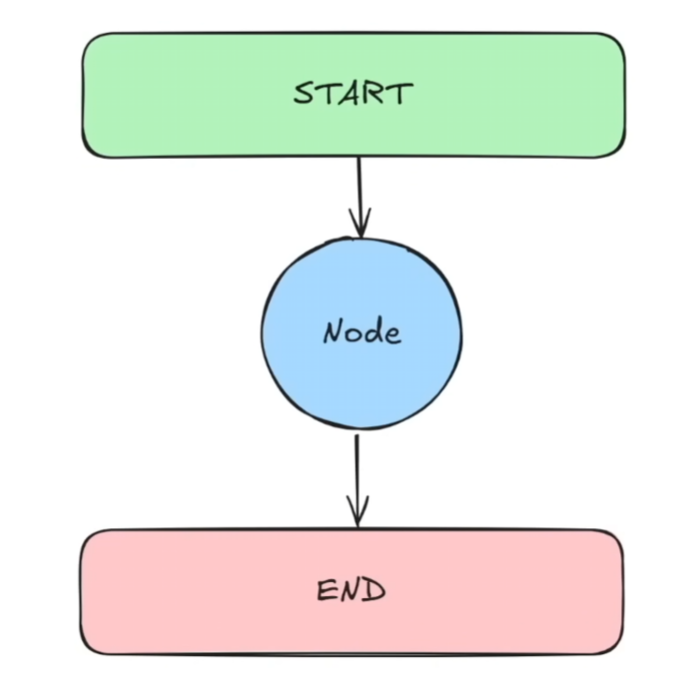
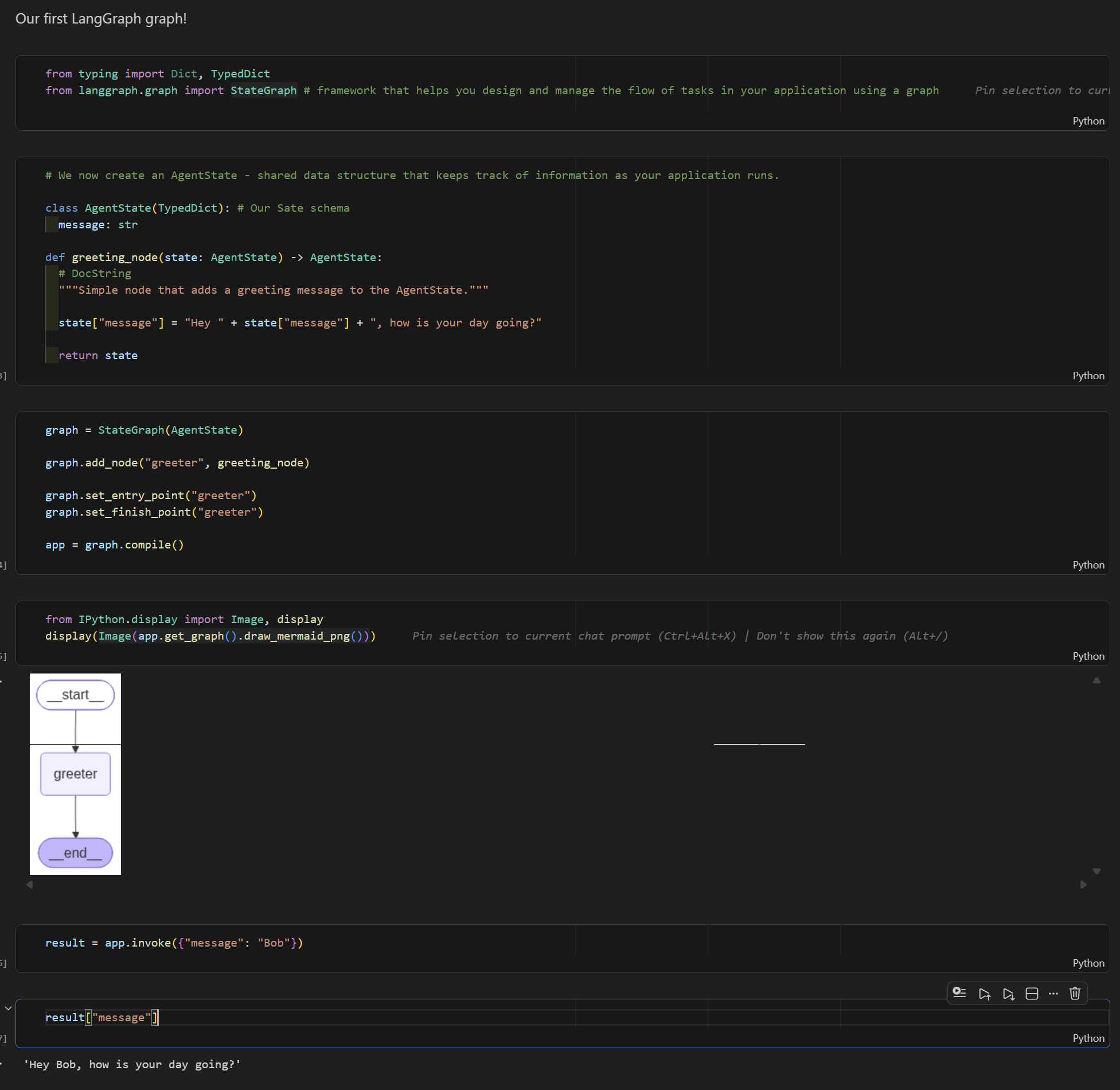
위에서 보는 것은 가장 기본적인 형태의 LangGraph Graph 입니다.
#Hello World Agent

Our first LangGraph graph!
from typing import Dict, TypedDict
from langgraph.graph import StateGraph # framework that helps you design and manage the flow of tasks in your application using a graph
# We now create an AgentState - shared data structure that keeps track of information as your application runs.

class AgentState(TypedDict): # Our Sate schema
  message: str

def greeting_node(state: AgentState) -> AgentState:
  # DocString
  """Simple node that adds a greeting message to the AgentState."""

  state["message"] = "Hey " + state["message"] + ", how is your day going?"

  return state
graph = StateGraph(AgentState)

graph.add_node("greeter", greeting_node)

graph.set_entry_point("greeter")
graph.set_finish_point("greeter")

app = graph.compile()
from IPython.display import Image, display
display(Image(app.get_graph().draw_mermaid_png()))
result = app.invoke({"message": "Bob"})
result["message"]
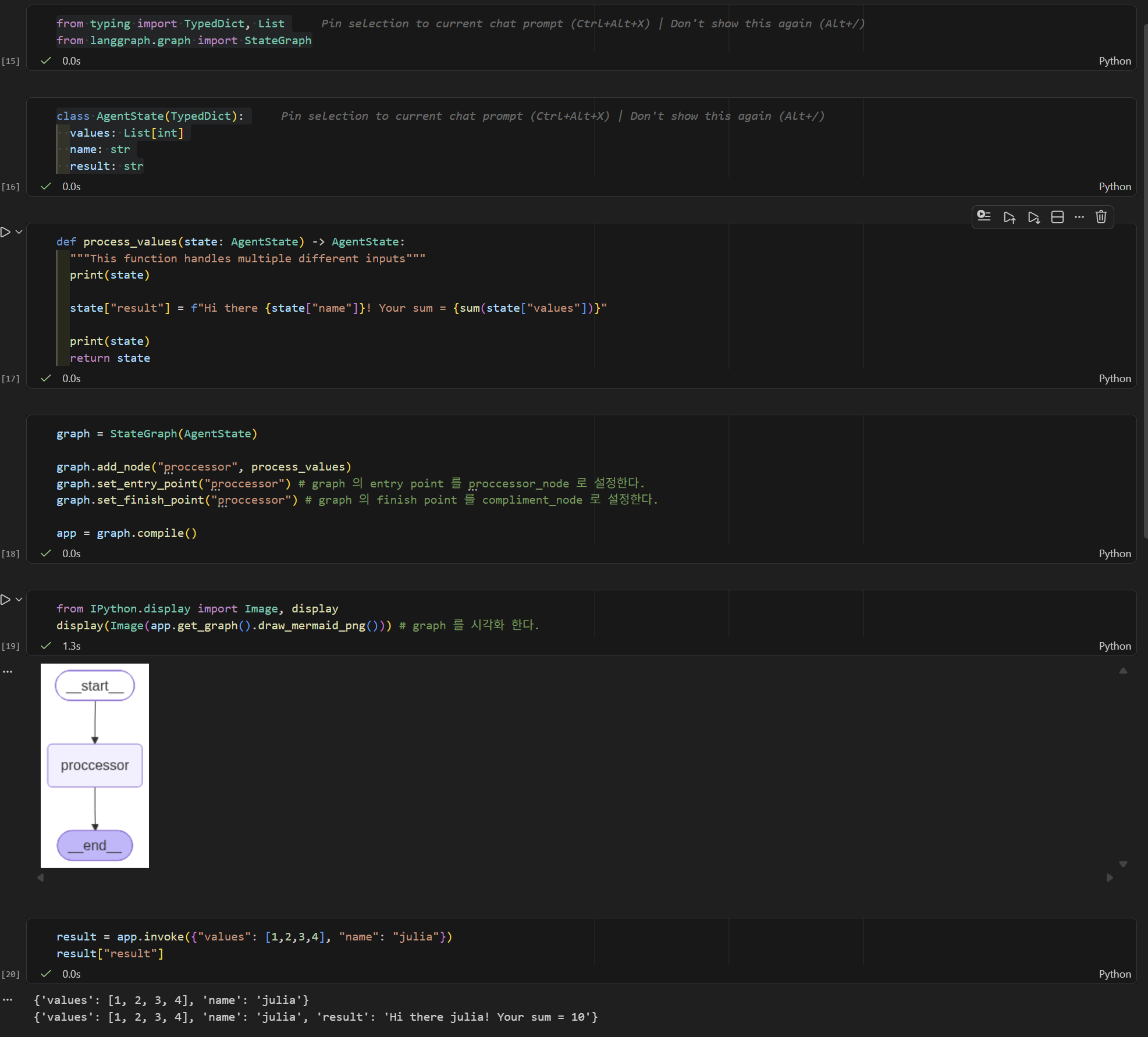
Graph Multiple Inputs 예제
# Multiple Inputs Graph

## Objectives
1. Define a more complex AgentState
2. Create a processing node that performs operations on list data.
3. Set up a LangGraph that processes and outputs computed results.
4. Invoke the graph with structured inputs and retrieve outputs.

Main Goal : Learn how to handle multiple inputs.
from typing import TypedDict, List
from langgraph.graph import StateGraph
class AgentState(TypedDict):
  values: List[int]
  name: str
  result: str
def process_values(state: AgentState) -> AgentState:
  """This function handles multiple different inputs"""
  print(state)

  state["result"] = f"Hi there {state["name"]}! Your sum = {sum(state["values"])}"

  print(state)
  return state
graph = StateGraph(AgentState)

graph.add_node("proccessor", process_values)
graph.set_entry_point("proccessor") # graph 의 entry point 를 proccessor_node 로 설정한다.
graph.set_finish_point("proccessor") # graph 의 finish point 를 compliment_node 로 설정한다.

app = graph.compile()
from IPython.display import Image, display
display(Image(app.get_graph().draw_mermaid_png())) # graph 를 시각화 한다.
result = app.invoke({"values": [1,2,3,4], "name": "julia"})
result["result"]
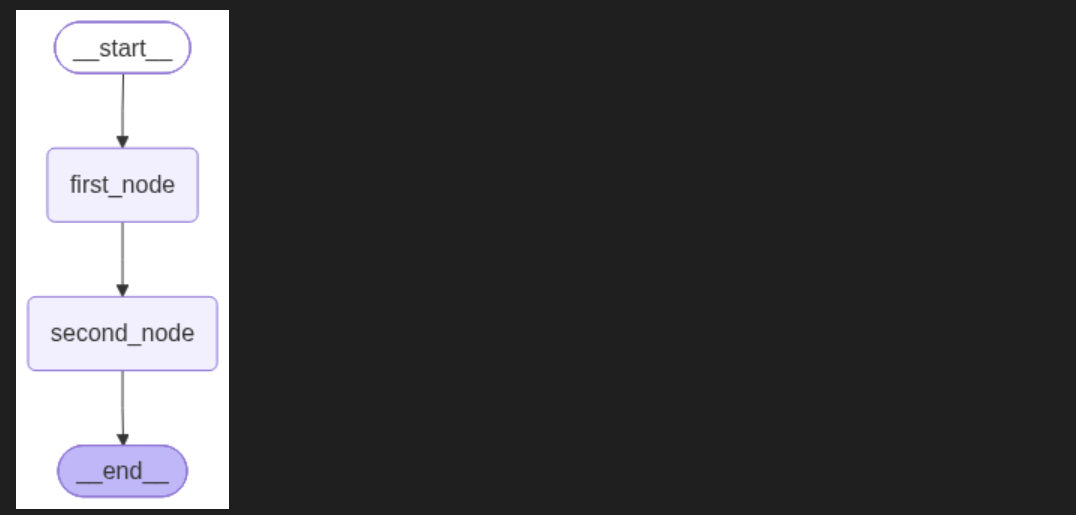
Sequential Graph : how to handle Multiple Nodes
# Sequential Graph
## Objectives
1. Create multiple Nodes that sequentially process and update different parts of the state.
2. Connect Nodes together in a graph
3. Invoke the Graph and see how the state is transformed step-by-step

Main Goal : Create and handle Multiple Nodes
from typing import TypedDict, List
from langgraph.graph import StateGraph
class AgentState(TypedDict):
  name: str
  age: int
  final: str
def first_node(state: AgentState) -> AgentState:
  """This is the first node of our sequence"""

  state['final'] = f"{state['name']} Hi"
  return state

def second_node(state: AgentState) -> AgentState:
  """This is the second node of our sequence"""

  state['final'] = state['final'] + f" You are {state['age']} years old"
  return state
graph = StateGraph(AgentState)

graph.add_node("first_node", first_node)
graph.add_node("second_node", second_node)

graph.set_entry_point("first_node")
graph.add_edge("first_node", "second_node")
graph.set_finish_point("second_node")
app = graph.compile()
from IPython.display import Image, display
display(Image(app.get_graph().draw_mermaid_png())) # graph 를 시각화 한다.
result = app.invoke({"name": "julia", "age": 20})
result["final"]
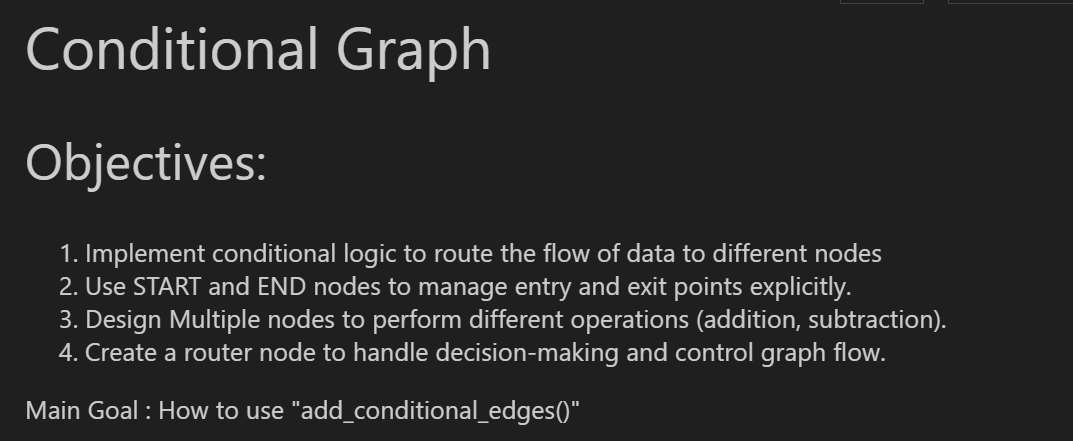
Conditional Graph
# Conditional Graph
## Objectives:
1. Implement conditional logic to route the flow of data to different nodes
2. Use START and END nodes to manage entry and exit points explicitly.
3. Design Multiple nodes to perform different operations (addition, subtraction).
4. Create a router node to handle decision-making and control graph flow.

Main Goal : How to use "add_conditional_edges()"
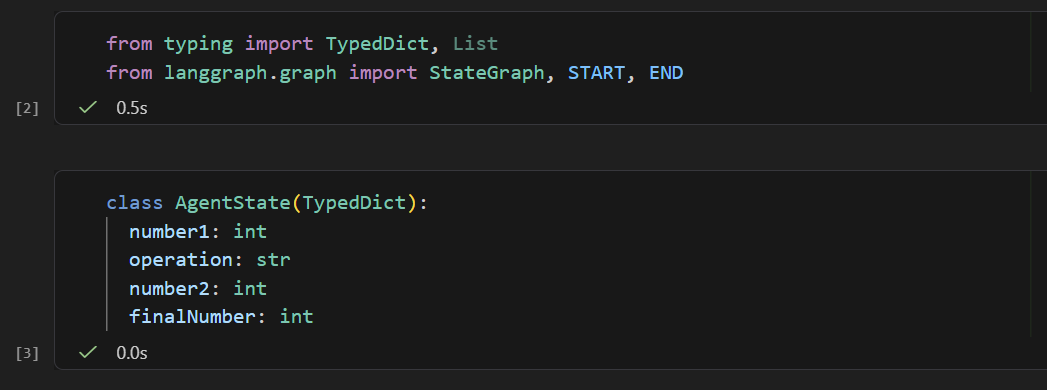
from typing import TypedDict, List
from langgraph.graph import StateGraph, START, END
class AgentState(TypedDict):
  number1: int
  operation: str
  number2: int
  finalNumber: int
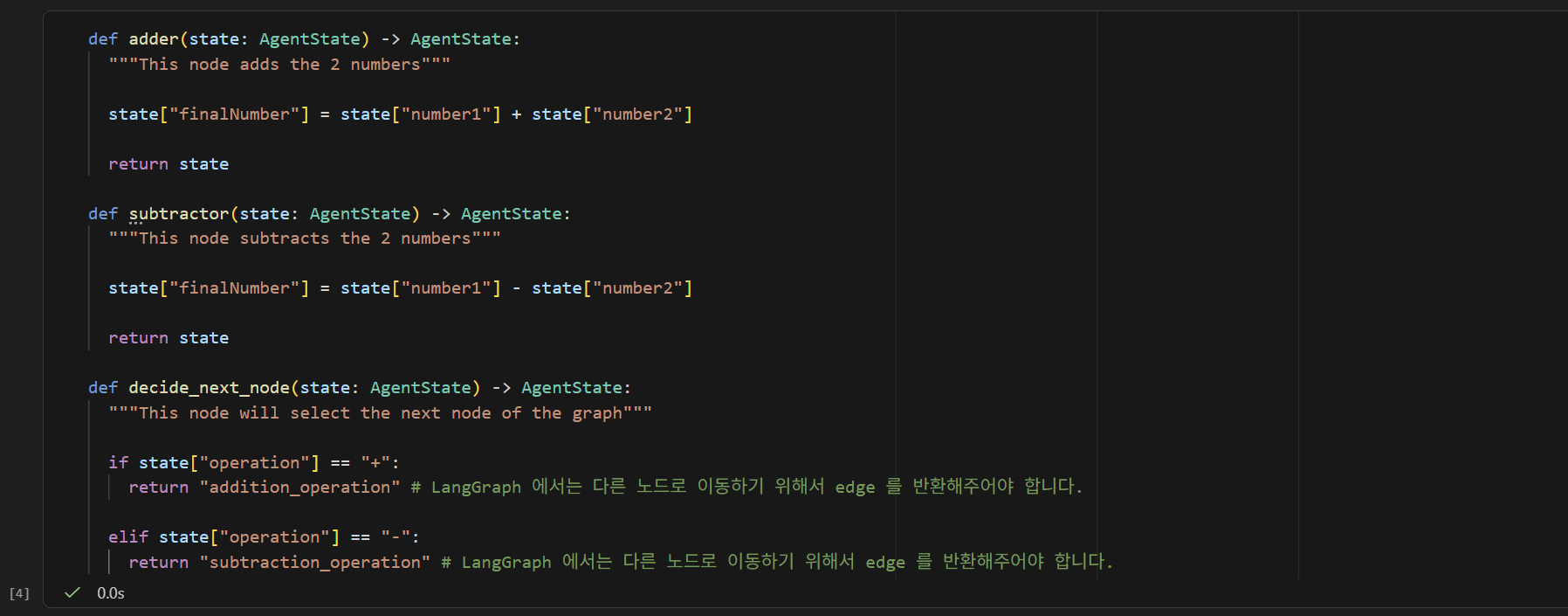
def adder(state: AgentState) -> AgentState:
  """This node adds the 2 numbers"""

  state["finalNumber"] = state["number1"] + state["number2"]

  return state

def subtractor(state: AgentState) -> AgentState:
  """This node subtracts the 2 numbers"""

  state["finalNumber"] = state["number1"] - state["number2"]

  return state

def decide_next_node(state: AgentState) -> AgentState:
  """This node will select the next node of the graph"""

  if state["operation"] == "+":
    return "addition_operation" # LangGraph 에서는 다른 노드로 이동하기 위해서 edge 를 반환해주어야 합니다.

  elif state["operation"] == "-":
    return "subtraction_operation" # LangGraph 에서는 다른 노드로 이동하기 위해서 edge 를 반환해주어야 합니다.
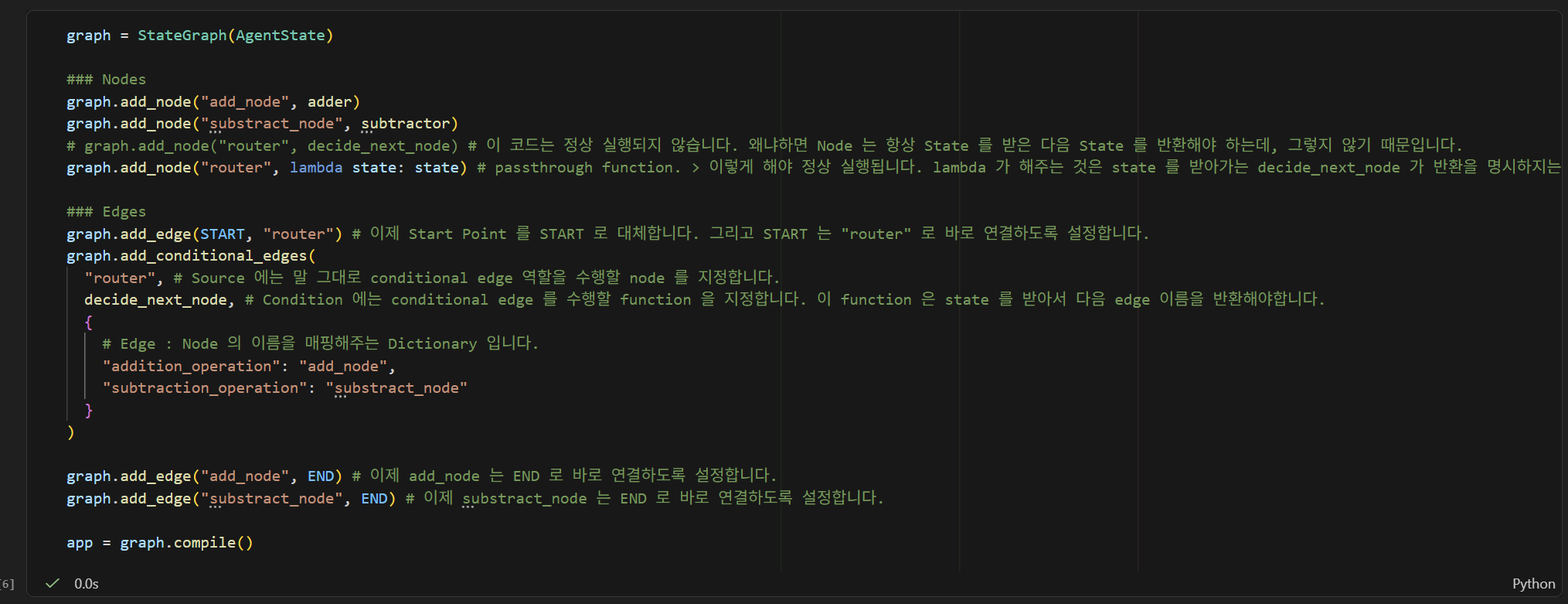
graph = StateGraph(AgentState)

### Nodes
graph.add_node("add_node", adder)
graph.add_node("substract_node", subtractor)
# graph.add_node("router", decide_next_node) # 이 코드는 정상 실행되지 않습니다. 왜냐하면 Node 는 항상 State 를 받은 다음 State 를 반환해야 하는데, 그렇지 않기 때문입니다.
graph.add_node("router", lambda state: state) # passthrough function. > 이렇게 해야 정상 실행됩니다. lambda 가 해주는 것은 state 를 받아가는 decide_next_node 가 반환을 명시하지는 않았지만 그대로 반환해주라는 것을 의미합니다.

### Edges
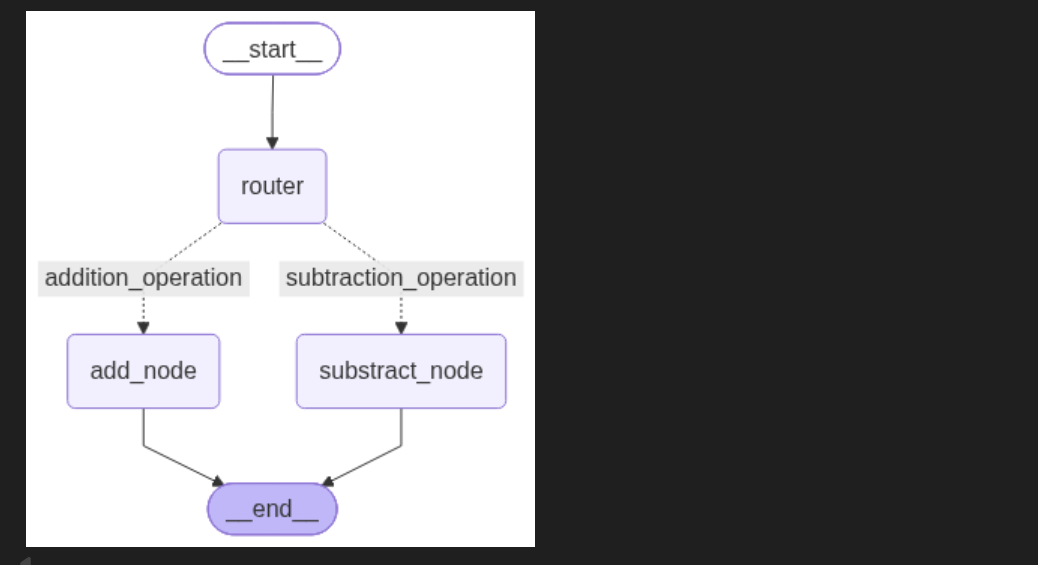
graph.add_edge(START, "router") # 이제 Start Point 를 START 로 대체합니다. 그리고 START 는 "router" 로 바로 연결하도록 설정합니다.
graph.add_conditional_edges(
  "router", # Source 에는 말 그대로 conditional edge 역할을 수행할 node 를 지정합니다.
  decide_next_node, # Condition 에는 conditional edge 를 수행할 function 을 지정합니다. 이 function 은 state 를 받아서 다음 edge 이름을 반환해야합니다.
  {
    # Edge : Node 의 이름을 매핑해주는 Dictionary 입니다.
    "addition_operation": "add_node",
    "subtraction_operation": "substract_node"
  }
)

graph.add_edge("add_node", END) # 이제 add_node 는 END 로 바로 연결하도록 설정합니다.
graph.add_edge("substract_node", END) # 이제 substract_node 는 END 로 바로 연결하도록 설정합니다.

app = graph.compile()
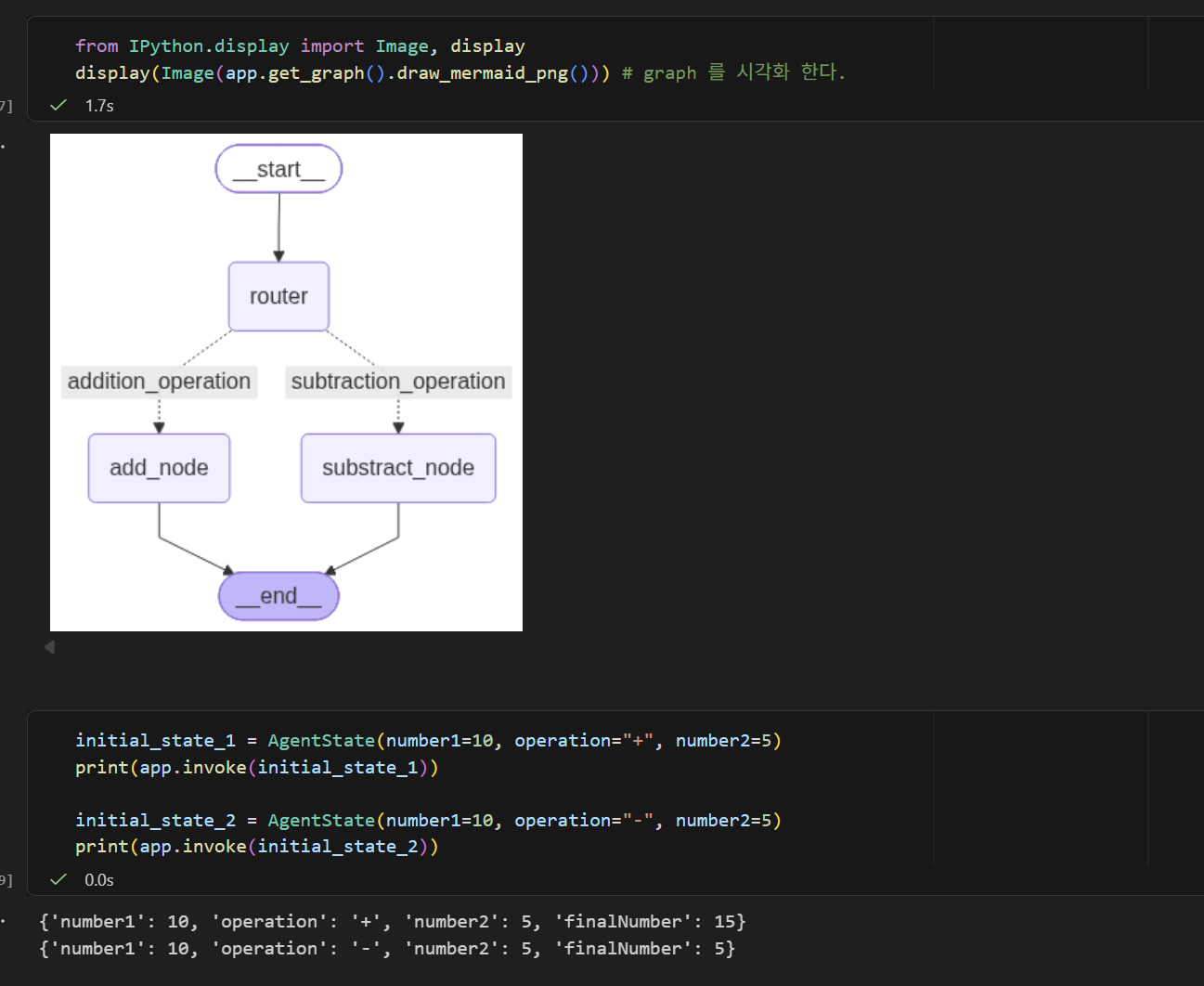
from IPython.display import Image, display
display(Image(app.get_graph().draw_mermaid_png())) # graph 를 시각화 한다.
initial_state_1 = AgentState(number1=10, operation="+", number2=5)
print(app.invoke(initial_state_1))

initial_state_2 = AgentState(number1=10, operation="-", number2=5)
print(app.invoke(initial_state_2))
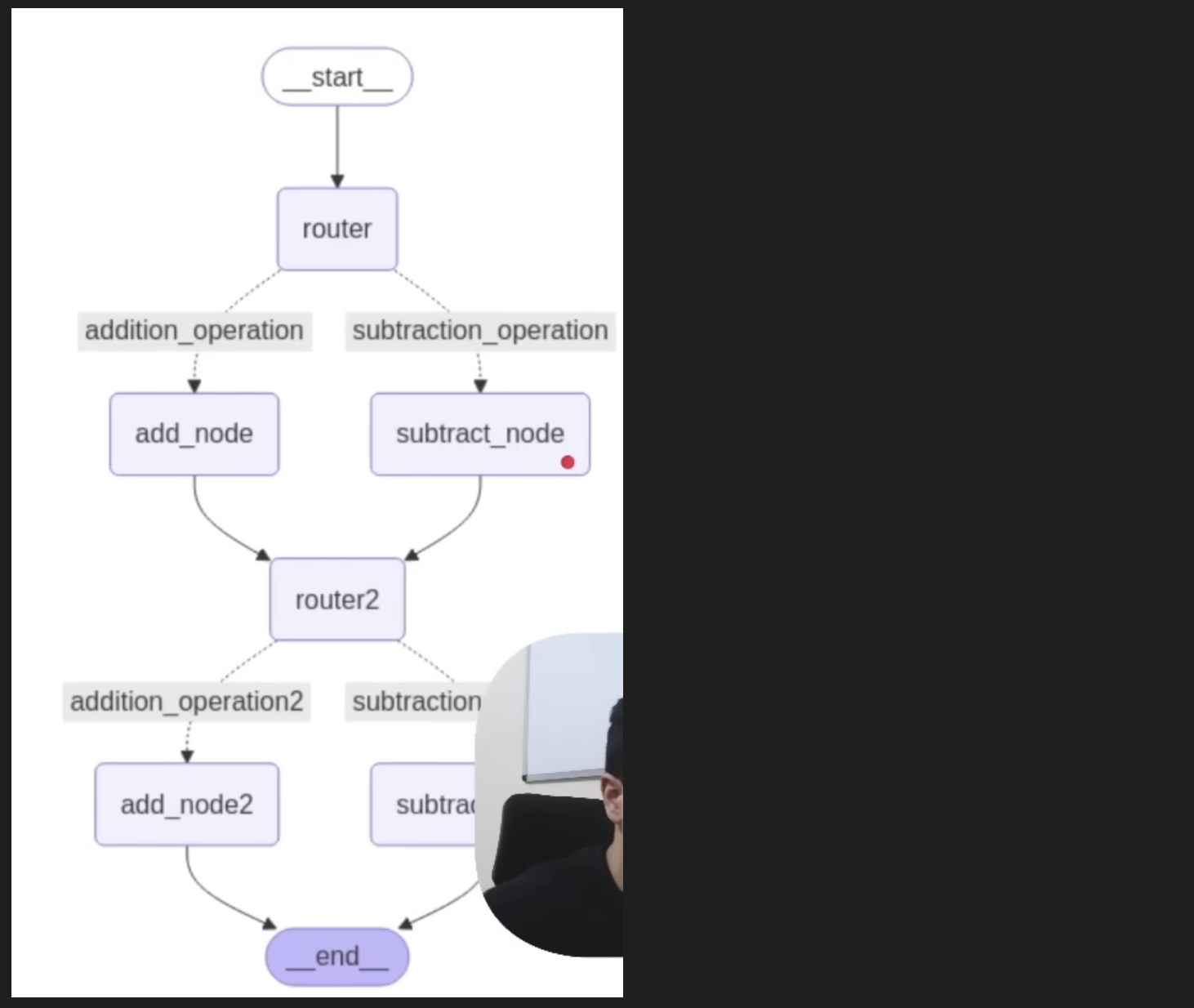
Exercise for Graph 4
# Exercise for Graph 4
## Your task :
Make the graph on the right! You will need to make use of 2 conditional edges!!
Input: initial_state = AgentState(number1 = 10, operation = "-", number2 = 5, number3 = 7, number4 = 2, operation2="+", finalNumber=0, finalNumber2=0)

from typing import TypedDict, List
from langgraph.graph import StateGraph, START, END
# Define State
class AgentState(TypedDict):
number1: int
operation: str
number2: int
number3: int
operation2: str
number4: int
finalNumber: int
finalNumber2: int
# Define Nodes
def add_node(state: AgentState) -> AgentState:
state["finalNumber"] = state["number1"] + state["number2"]
return state
def substract_node(state: AgentState) -> AgentState:
state["finalNumber"] = state["number1"] - state["number2"]
return state
def add_node2(state: AgentState) -> AgentState:
state["finalNumber2"] = state["number3"] + state["number4"]
return state
def substract_node2(state: AgentState) -> AgentState:
state["finalNumber2"] = state["number3"] - state["number4"]
return state
def condition_edge(state: AgentState) -> str:
if state["operation"] == "+":
return "add_edge"
elif state["operation"] == "-":
return "substract_edge"
else:
raise ValueError("Invalid operation")
def condition_edge2(state: AgentState) -> str:
if state["operation2"] == "+":
return "add_edge2"
elif state["operation2"] == "-":
return "substract_edge2"
else:
raise ValueError("Invalid operation")
# Create Graph
graph = StateGraph(AgentState)
# Add Nodes
graph.add_node("add_node", add_node)
graph.add_node("substract_node", substract_node)
graph.add_node("add_node2", add_node2)
graph.add_node("substract_node2", substract_node2)
graph.add_node("router", lambda state: state) # router node does not modify the state, it just routes to the next node
graph.add_node("router2", lambda state: state) # router2 node does not modify the state, it just routes to the next node
# Add Edges
graph.add_edge(START, "router") # edge 라는 말 자체가 연계 관계를 의미하는데, START 에서 router 로 가는 edge 를 추가한다는 의미이다.
graph.add_conditional_edges( # conditional edge 라는 말 자체가 조건 edge 를 추가한다는 의미이다. router 노드에 conditional edge 를 추가한다는 의미이다.
"router",
condition_edge,
{
"add_edge": "add_node",
"substract_edge": "substract_node"
}
)
# Add Edges 2
graph.add_edge("add_node", "router2")
graph.add_edge("substract_node", "router2")
graph.add_conditional_edges(
"router2",
condition_edge2,
{
"add_edge2": "add_node2",
"substract_edge2": "substract_node2"
}
)
# Add Finish Point
graph.add_edge("add_node2", END)
graph.add_edge("substract_node2", END)
# Graph Compile
app = graph.compile()
# Visualize Graph
from IPython.display import Image, display
display(Image(app.get_graph().draw_mermaid_png())) # graph 를 시각화 한다.
Looping Graph
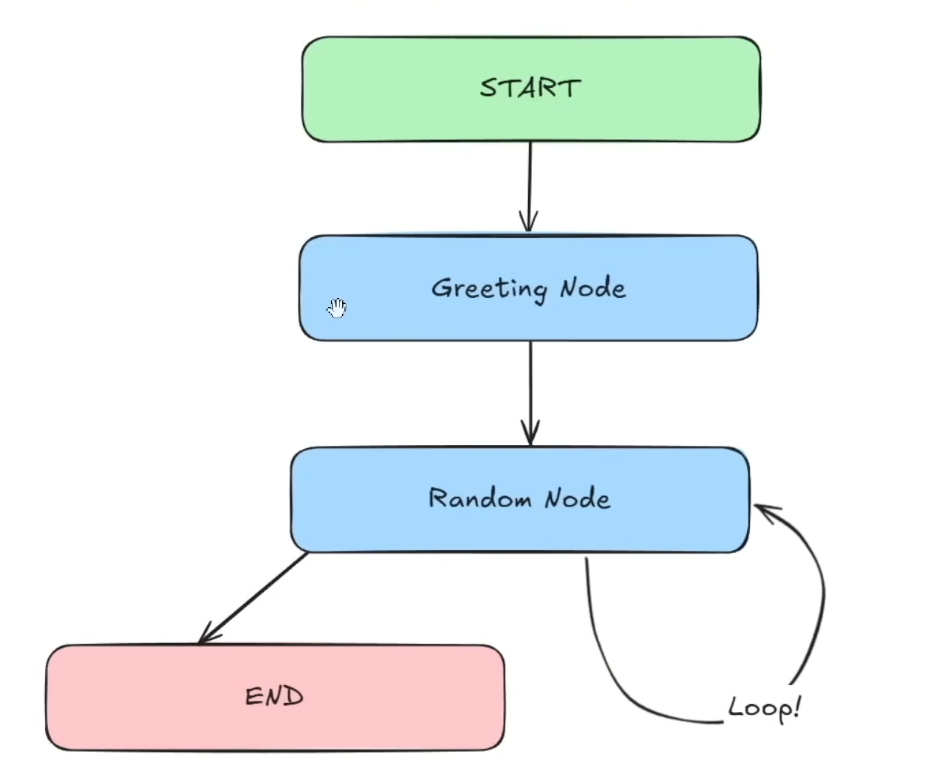
# Looping Graph
## Objectives :
1. Implement looping logic to route the flow of data back to the nodes
2. Create a single conditional edge to handle decision-making and control graph flow.

Main Goal: Coding up Looping Logic
from typing import TypedDict, List
from langgraph.graph import StateGraph, START, END
import random
class AgentState(TypedDict):
  name: str
  numberList: List[int]
  counter: int
def greeting_node(state: AgentState) -> AgentState:
  """Greeting Node which says hi to the person"""
  state["name"] = f"Hi there, {state['name']}!"
  state["counter"] = 0

  return state

def random_node(state: AgentState) -> AgentState:
  """Generate a random number from 0 to 10"""
  state["numberList"].append(random.randint(0, 10))
  state["counter"] += 1

  return state

def should_continue(state: AgentState) -> AgentState:
  """Function to decide what to do next"""
  if state["counter"] < 5:
    print("Entering Loop", state["counter"])
    return "loop" # Continue Looping
  else:
    return "exit" # Exit Loop
graph = StateGraph(AgentState)

graph.add_node("greeting_node", greeting_node)
graph.add_node("random_node", random_node)

# create edge
graph.add_edge(START, "greeting_node")
graph.add_edge("greeting_node", "random_node")

# create conditional edges
graph.add_conditional_edges(
  "random_node",
  should_continue,
  {
    "loop": "random_node", # Self-loop back to same node
    "exit": END
  }
)

app = graph.compile()
from IPython.display import Image, display
display(Image(app.get_graph().draw_mermaid_png())) # graph 를 시각화 한다.
app.invoke(AgentState(name="John", numberList=[], counter=-1))